BROWSER AI AGENT
An AI agent that automates repetitive browser workflows on tools like Linear and Notion using plain English commands. It breaks tasks into sub-goals, navigates the browser autonomously, and validates every action with a 6-check system before advancing — powered by LangGraph, Gemini 2.5 Flash, and a RAG system that learns from past runs.
Project Overview
Architecture: Built on LangGraph as a state machine, with each node handling a distinct phase — screenshot capture, Gemini reasoning, Playwright execution, and multi-signal validation. The graph loops until all sub-goals are confirmed or recovery strategies are exhausted.
Reliability Engineering: The hardest part was not writing the automation — it was making it reliable. Browser UIs are dynamic, Gemini's element descriptions include misleading positional context, and a click that doesn't throw an error is not evidence anything happened. Every edge case is handled explicitly.
Learning System: A ChromaDB RAG system embeds successful run workflows. On similar future tasks the agent retrieves those step sequences as hints, cutting down reasoning errors on repeated tasks. Quality filtering keeps the store clean — poisoned entries are excluded automatically.
Tech Stack
language:
orchestration:
vision & reasoning:
browser automation:
vector store:
llm wrapper:
observability:
Key Features
ReAct Loop Automation
Every step the agent screenshots the page, reasons about what to do next using Gemini Vision, executes the browser action via Playwright, and validates the result — all before advancing to the next sub-goal.
6-Check Validation System
After every action, 6 independent signals confirm success: URL change, modal state, keyword presence, absence of errors, visual effect, and goal alignment. Sub-goals only advance when confidence ≥ 0.6.
RAG-Backed Workflow Memory
ChromaDB stores successful runs as embedded workflows. On similar future tasks the agent retrieves past steps as hints, reducing reasoning errors. Failed and off-target runs are automatically excluded from the store.
Business Value
Zero Scripting
Automate any browser workflow with plain English — no selectors, no code, no maintenance
Production Reliable
6-check validation and 8-strategy recovery ensure tasks complete correctly, not just without errors
Self-Improving
Learns from every successful run — repeated tasks get faster and more accurate over time
Full Observability
Every reasoning step, action, and validation is traced in LangSmith for complete debuggability
Live Run Trace
Real step logs from a recorded run — “Create a project named Backend API with status Planned, priority Urgent” on Linear
{
  "step": 1,
  "timestamp": "2026-03-23T12:12:26.709133",
  "action": {
    "thought": "The current sub-goal is to navigate to the Projects page. I see a link with the text 'Projects' and index 10. This is the correct element to click to navigate to the Projects page.",
    "action": "click",
    "target": "link: Projects",
    "value": "",
    "reasoning": "Clicking the 'Projects' link will navigate to the Projects page, which is the current sub-goal. There are no other relevant actions to take at this point.",
    "validation_check": "URL changes to https://linear.app/trialagent/team/TRI/projects",
    "confidence": 1,
    "sub_goal_complete": true
  },
  "url": "https://linear.app/trialagent/team/TRI/active",
  "page_title": "TrialAgent › Active issues",
  "elements_count": 49,
  "result": {
    "status": "success",
    "action_completed": true,
    "validation_passed": true,
    "errors": null
  },
  "internal_state": {
    "current_sub_goal": "Navigate to the Projects page",
    "progress": "1/10"
  }
}{
"step": 9,
"timestamp": "2026-03-23T12:14:22.325916",
"action": {
"thought": "All the required fields for the project (name, status, priority, and description) have been filled. The next step is to finalize the project creation by clicking the 'Create project' button.",
"action": "click",
"target": "button: Create project",
"value": "",
"reasoning": "Clicking the 'Create project' button will submit the project creation form, which is the final step in creating the project and will complete the main goal.",
"validation_check": "The modal should close and the new project 'Backend API' should appear in the list of projects.",
"confidence": 1,
"sub_goal_complete": true
},
"url": "https://linear.app/trialagent/projects/all",
"page_title": "Projects",
"elements_count": 98,
"result": {
"status": "success",
"action_completed": true,
"validation_passed": true,
"errors": null
},
"internal_state": {
"current_sub_goal": "Click 'Change project priority' combobox to open the priority dropdown",
"progress": "6/10"
}
}Gallery
Screenshots captured by the agent at each step of the same run
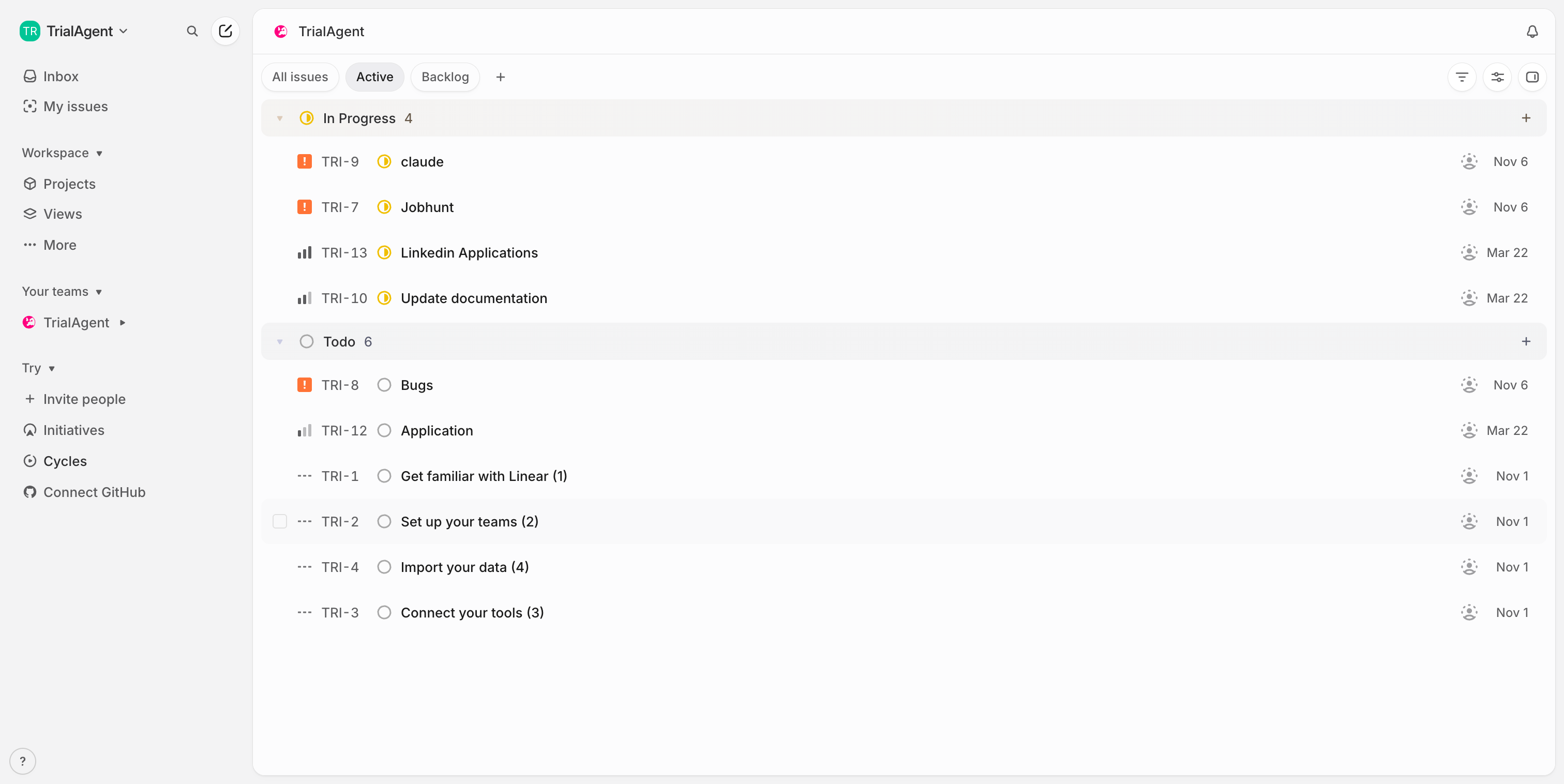
Step 1 — Navigate to Projects page
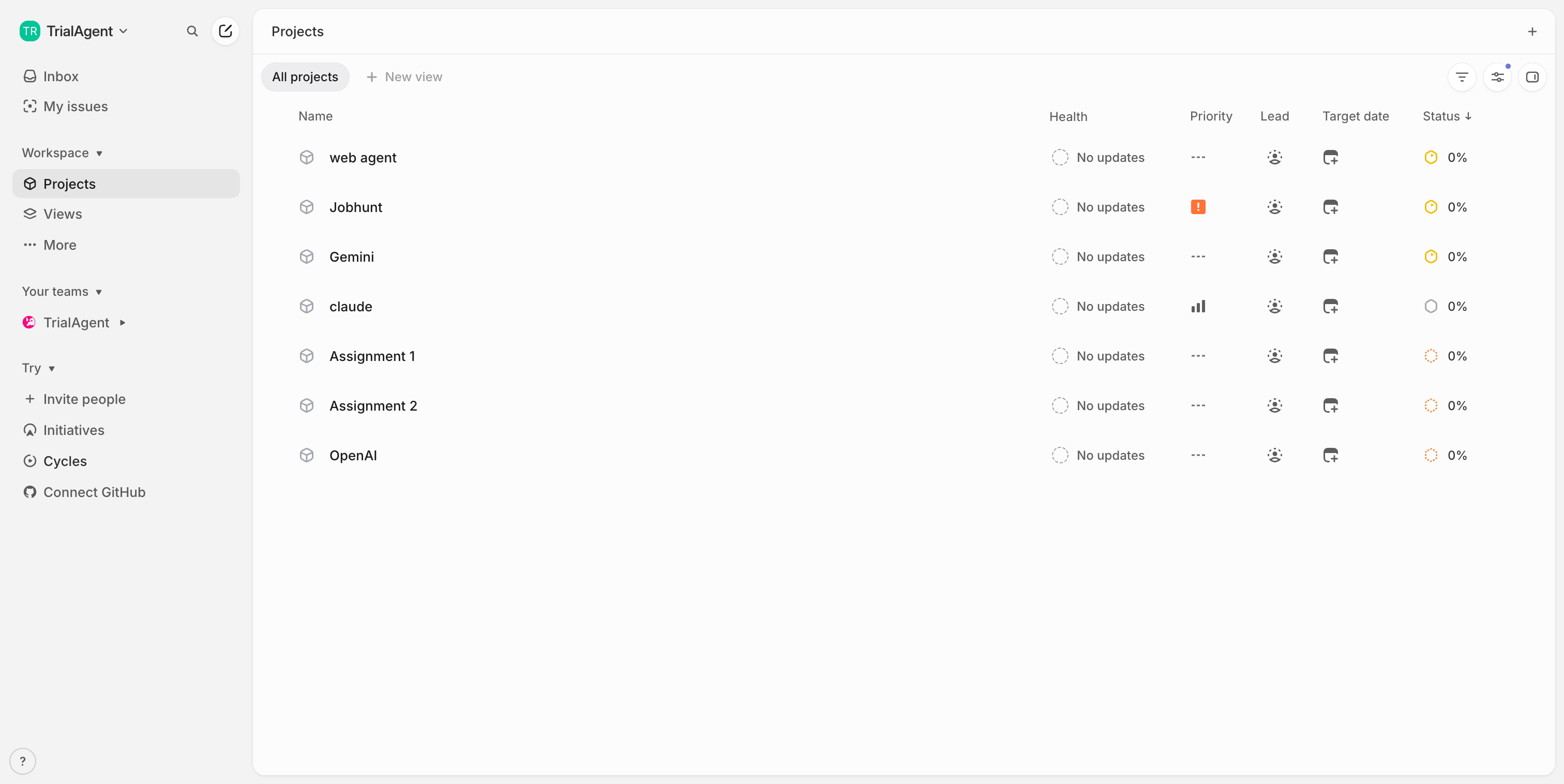
Step 2 — Open Create Project modal
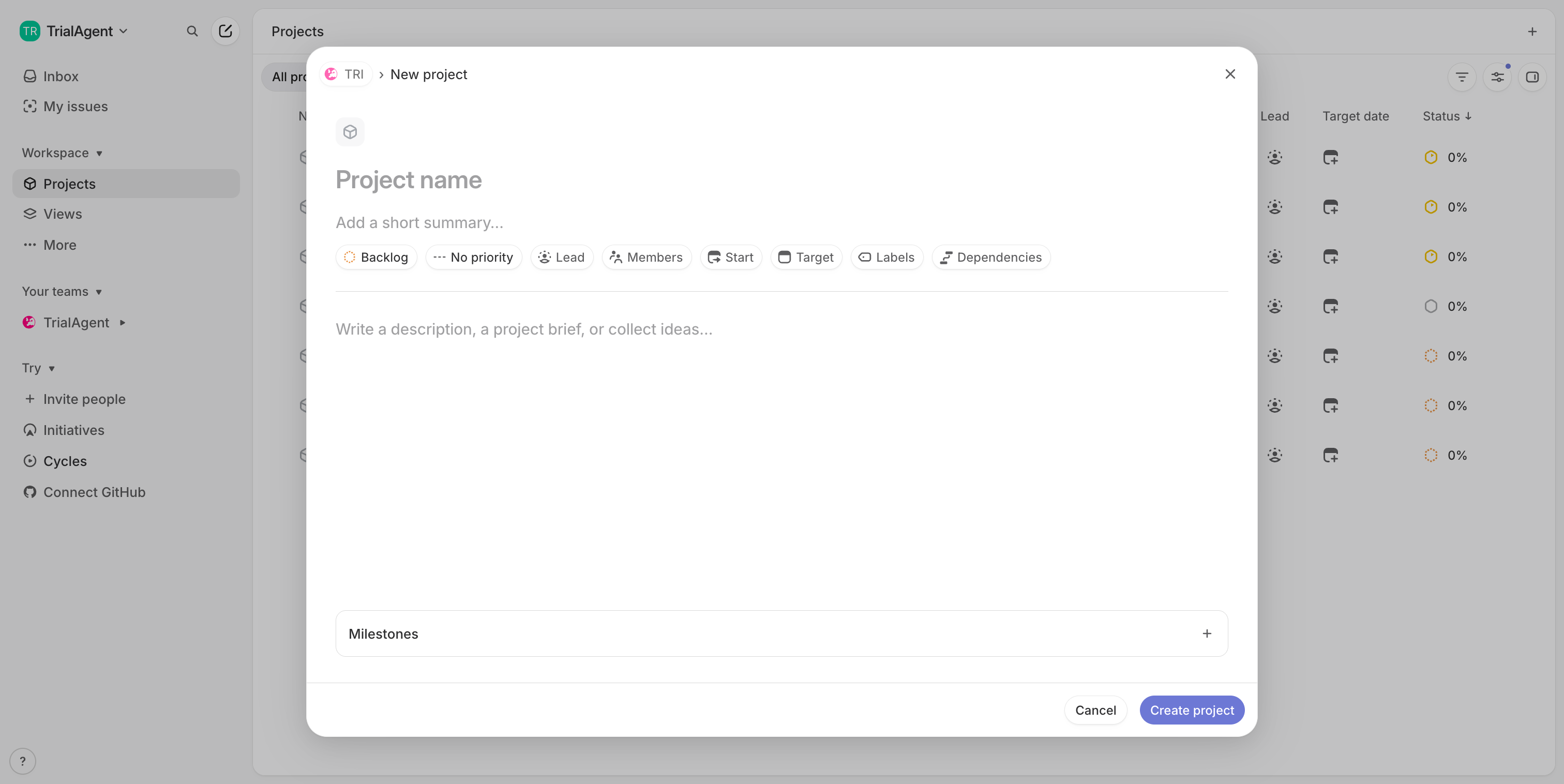
Step 3 — Type project name: Backend API
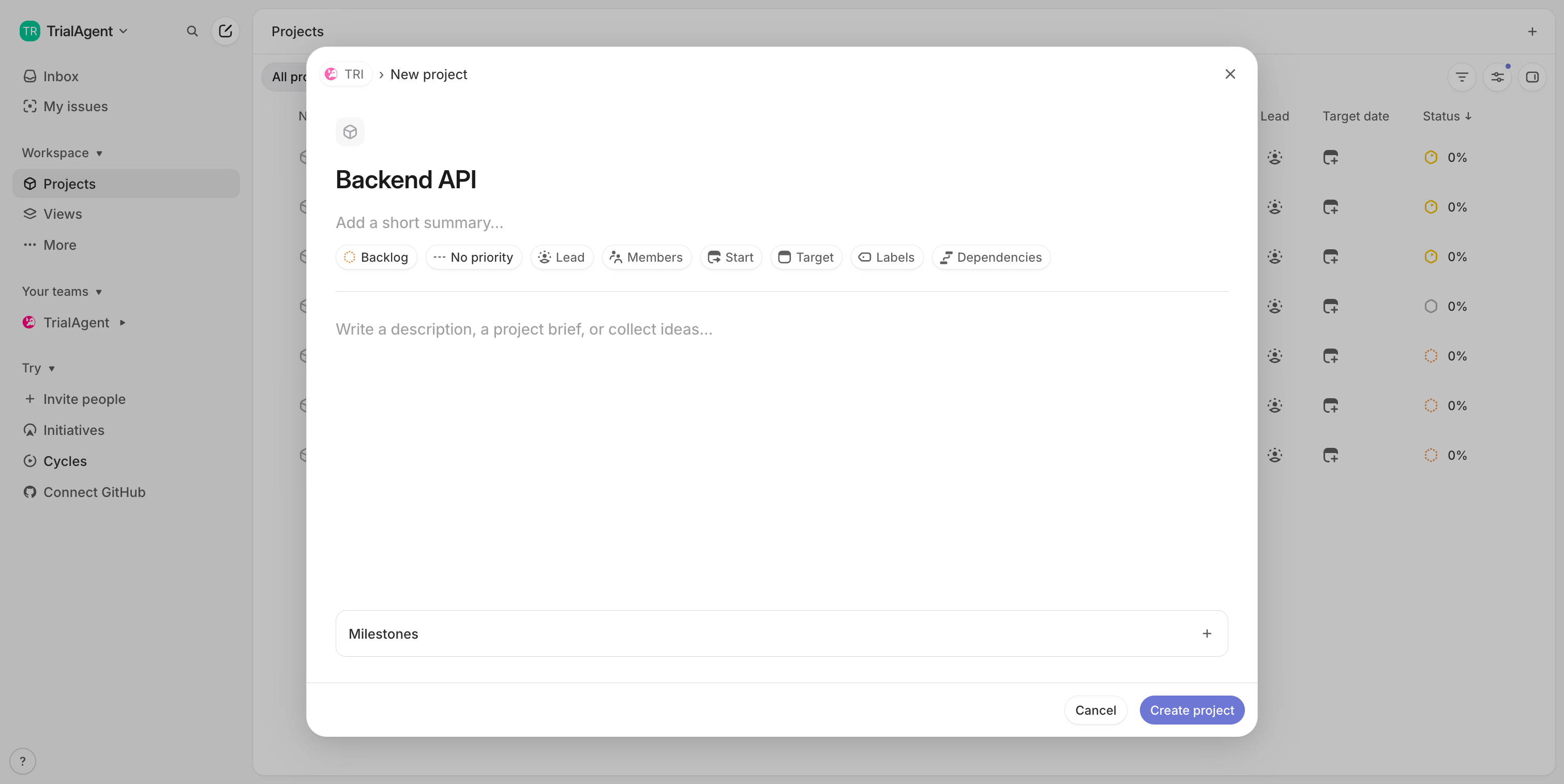
Step 4 — Open status dropdown
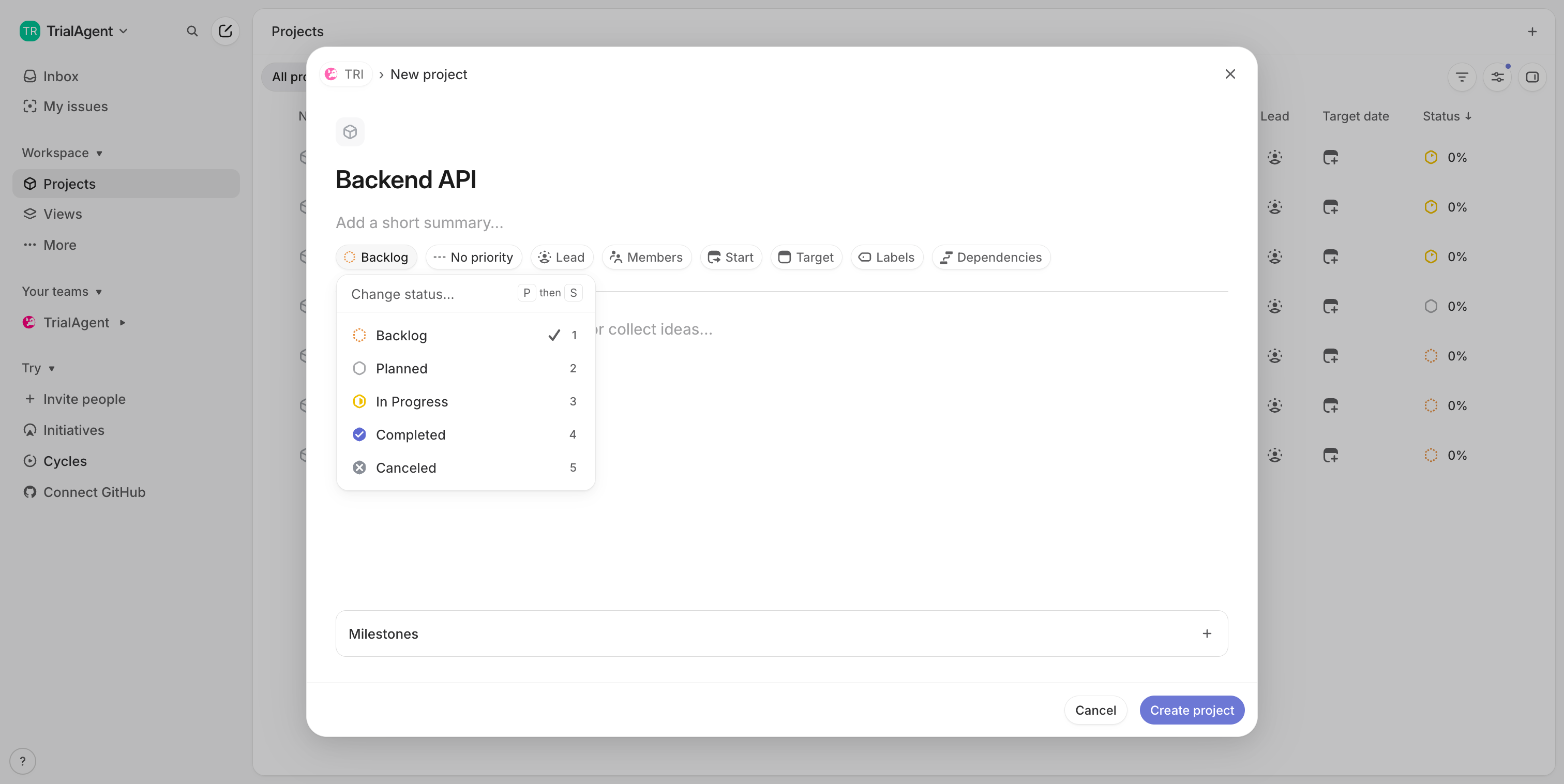
Step 5 — Select status: Planned
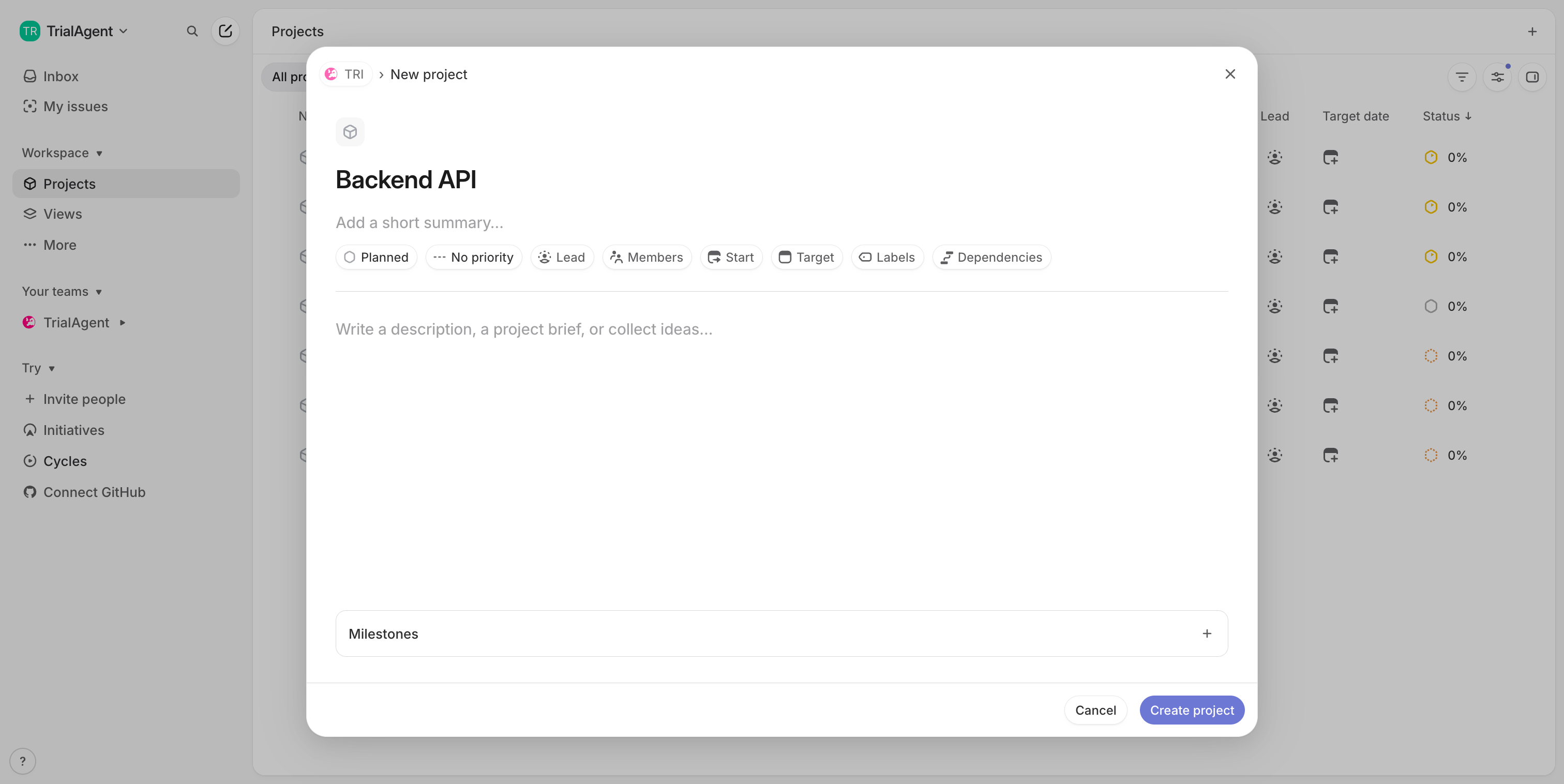
Step 6 — Open priority dropdown
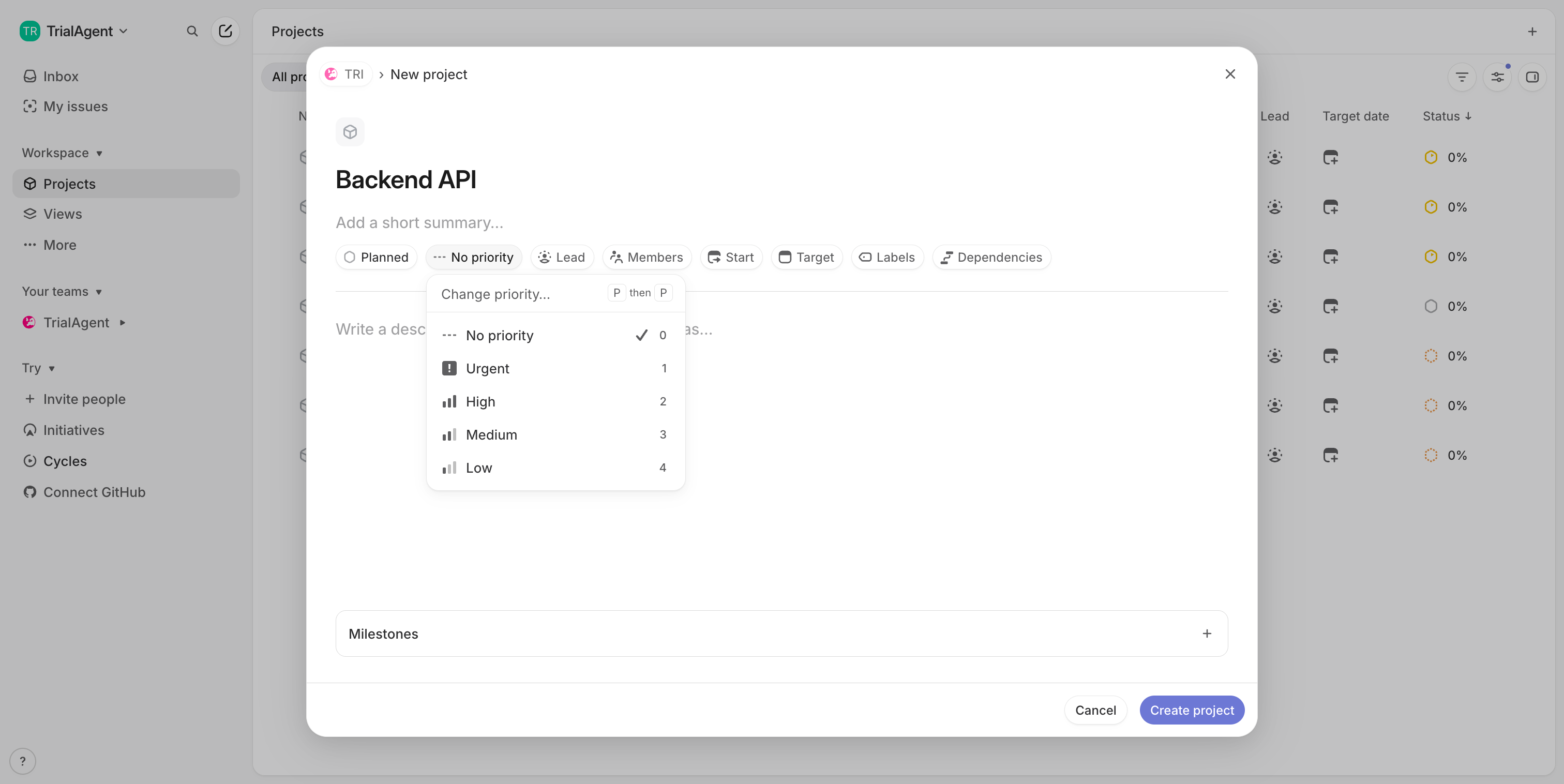
Step 7 — Select priority: Urgent
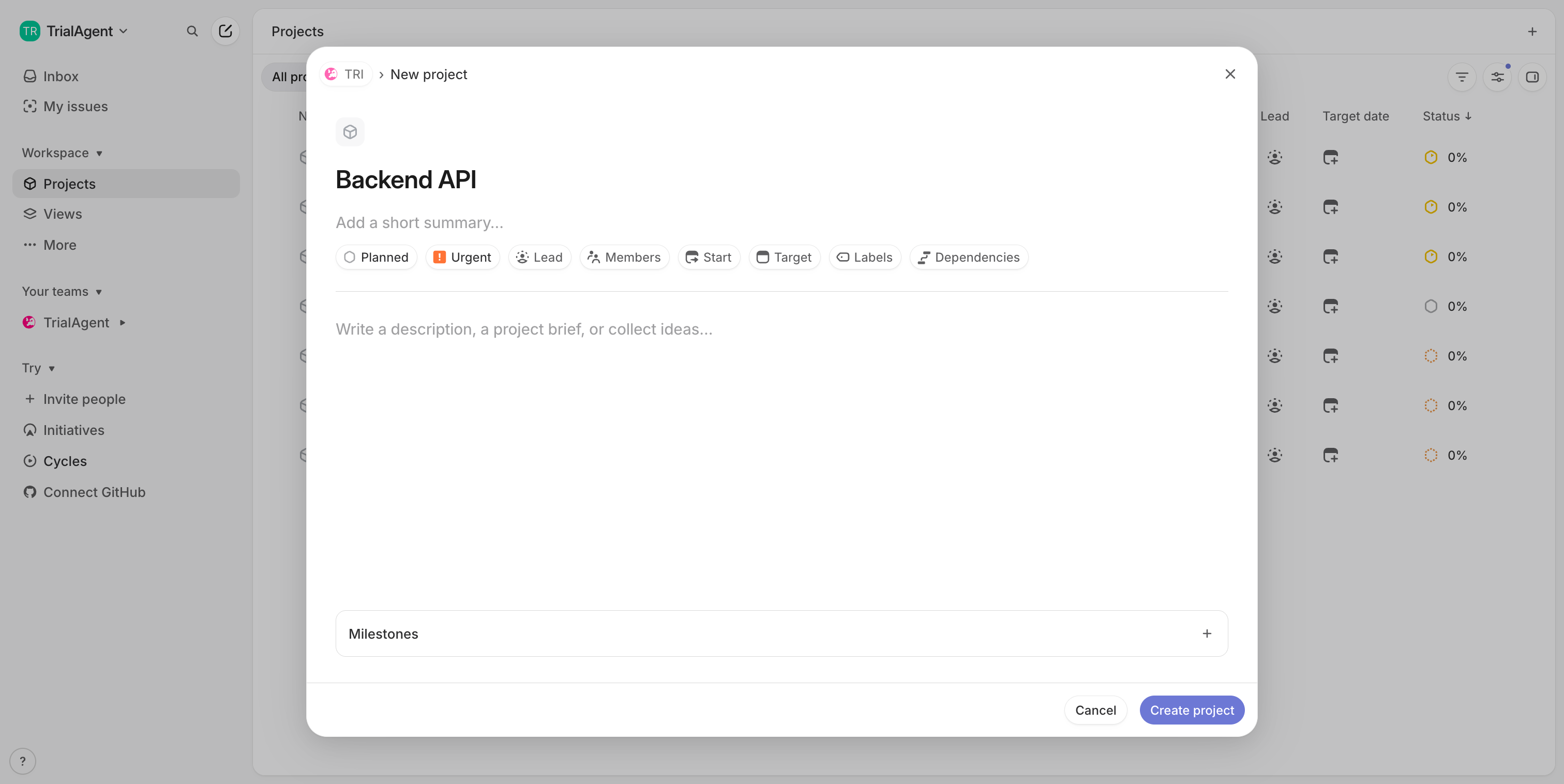
Step 8 — Write project description
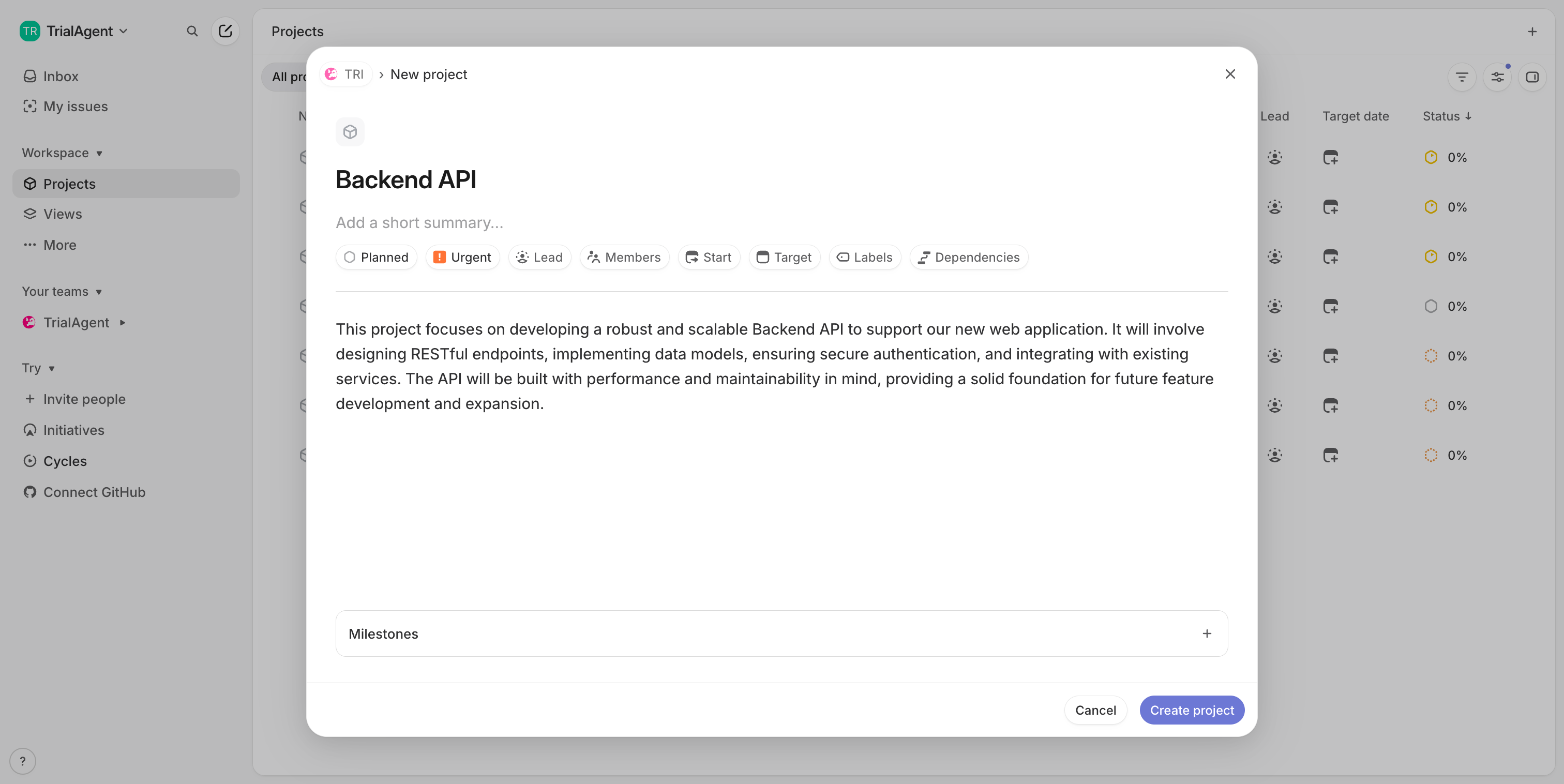
Step 9 — Click Create project button
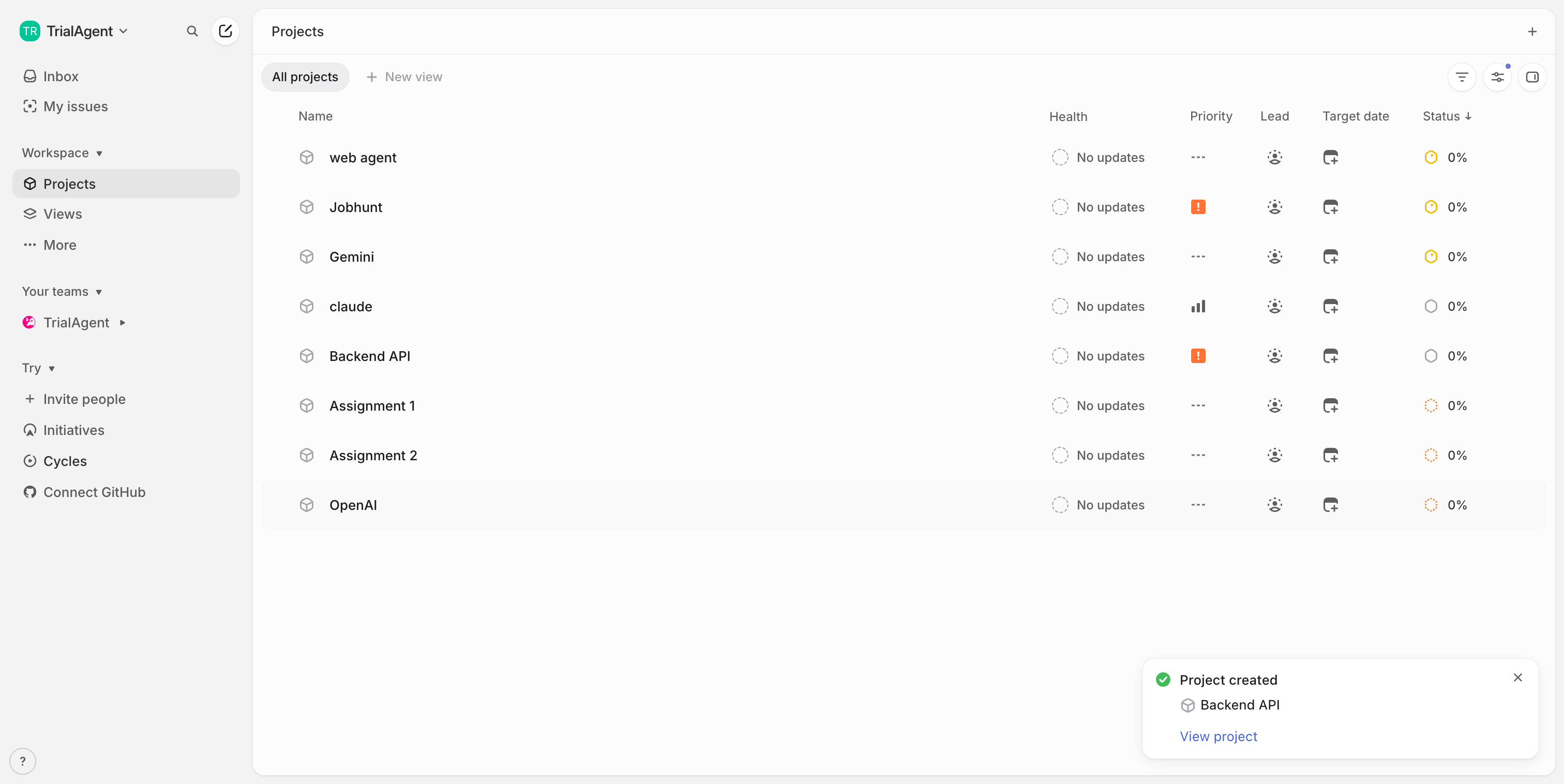
Step 10 — Project created successfully